
Re-register a SafeSite User
Subcontractors might occasionally need to re-register their SafeSite account if they buy a new phone or if they uninstall the mobile app.
As a subcontractor administrator, you can generate a new numeric or QR registration code in Virtual Superintendent to re-register existing SafeSite accounts on new devices.
Note: You can also re-register existing users in the field using the SafeSite app. Read the Register a SafeSite User in the Field help article for more information.
In this article
Permissions
To access the Users page (Menu > Users) and generate numeric and QR registration codes for existing SafeSite accounts belonging to your own organization, you must have the following Virtual Superintendent permissions:
- User Admin
- Subcontractor Admin
Generate a New Registration Code
To generate a new SafeSite registration code for an existing user, allowing them to re-register their account on a new or reset device:
- Sign in to Virtual Superintendent.
- Click Menu > Users. The Users page opens on the SafeSite App Users tab, displaying a grid of all SafeSite users in your project and their permissions.
- Type the user's name in the filter at the top of the Name column, or their email address at the top of the Email column.
-
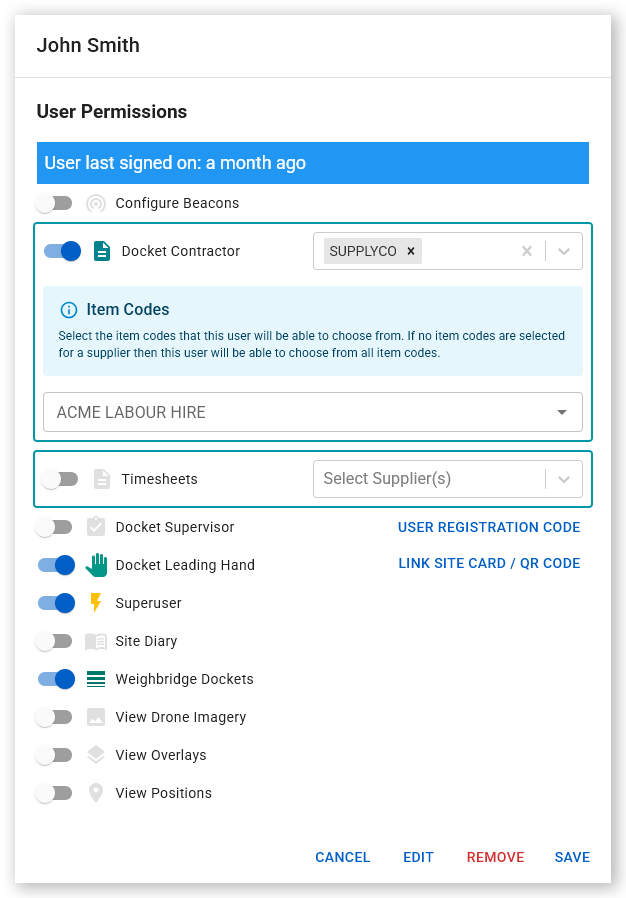
Click the user's name in the grid. The User Permissions dialog opens.
 Click or tap to expand image
 -
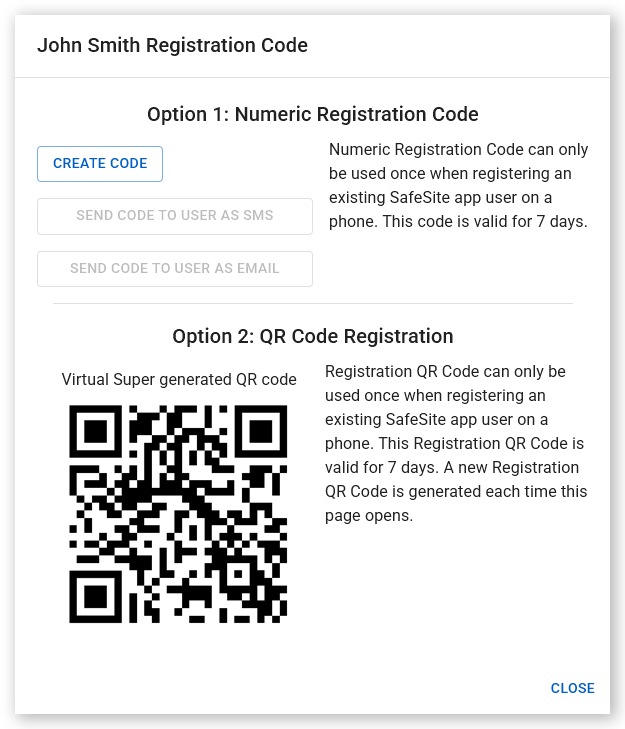
Click User Registration Code. The Registration Code dialog opens.
 Click or tap to expand image
 - Click Create Code. A unique numeric registration code is generated and displayed.
- Click Send Code to User as SMS or Send Code to User as Email. The user receives a text message or email with instructions for installing and registering SafeSite, together with their new unique registration code. You can also click Copy Code to save the code to your clipboard and then manually store it or communicate it ro the user directly. Alternatively, take a screenshot of the QR code under the Option 2: QR Code Registration heading and print it or show it to the SafeSite user to scan during registration. If the user is with you, they can scan the QR code displayed in Virtual Superintendent to re-register their SafeSite account.
Note: The registration code is valid for seven days and can only be used once.