
Create Custom SafeSite Machine Checklists
Each project comes with a default machine checklist, which subcontractors may be required to complete when signing on as a machine operator or driver in SafeSite. If the default machine checklist doesn’t meet your project’s requirements, the Virtual Superintendent team can help you create a customized version.
Once created, the custom checklist is assigned to plant item codes based on the plant role. For example, to an excavator. When a subcontractor signs on to SafeSite and selects an excavator, they will be prompted to complete the custom machine checklist.
You can customize a machine checklist to:
- Change the checklist questions.
- Add a custom checklist title.
- Set the available responses to Yes, No, or N/A.
- Define whether Yes or No is the positive response.
- Allow users to add photos and notes to individual questions.
- Allow users to delete photos while completing the checklist.
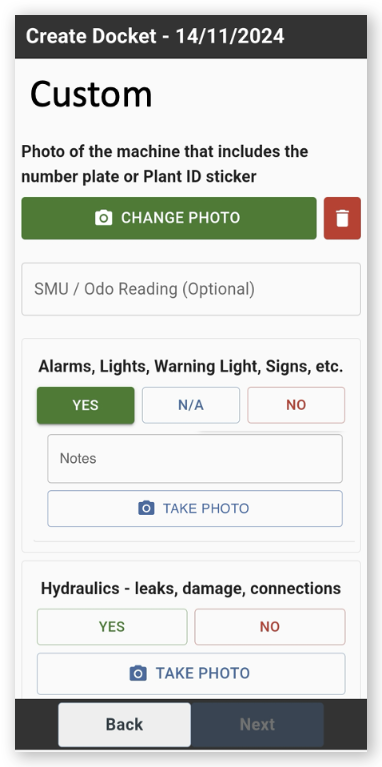
Click or tap to expand image
Contact the Virtual Superintendent support team at support@virtualsuper.com to discuss creating custom machine checklists for your project.